Airtime, data, gift cards. Delivered in seconds.
Rawad Pay brings your digital products together in one app, on the web and on mobile. You choose, you pay, you receive.
- Pay by M-Pesa, Airtel Money, Orange Money, card or Float
- The full price is shown before every payment
- Every purchase is confirmed with your PIN
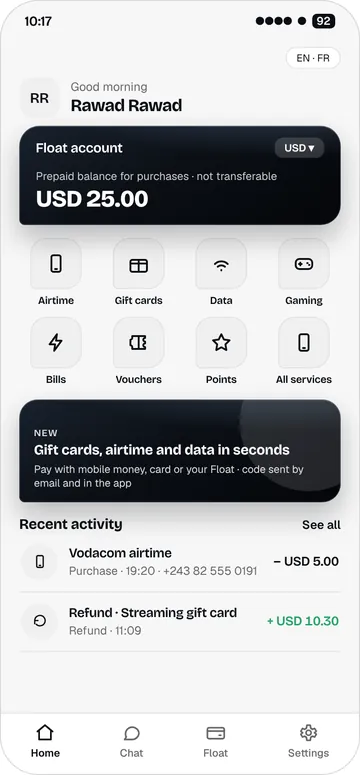
Services
All your digital products in one place
Six product families, for you or for someone else.
Airtime
Top up a number in seconds, yours or someone else’s.
Data bundles
Daily, weekly and monthly bundles.
Gift cards
Streaming, shopping and app stores. The code arrives in the app and by email.
Gaming & entertainment
Game credits and passes, delivered as a code.
Rawad Pay vouchers
Use a code to pay for a purchase, or gift a voucher to someone.
Rawad Points
Every purchase earns points, to use on your next purchases.
How it works
Three steps, under a minute
Choose
Pick a product and enter the recipient’s number or email.
Review and pay
The full price is shown. Pay by mobile money, card or Float, then confirm with your PIN.
Receive
The top-up is sent to the number. Codes appear in the app and are sent by email.
A clear catalogue, a price you can see
You see the product, the recipient and the total amount before you pay.
- For you or for someone else. Just enter their number.
- Every order tracked. From acceptance to delivery, in Activity.
- Refund if it fails. An order that fails is refunded.
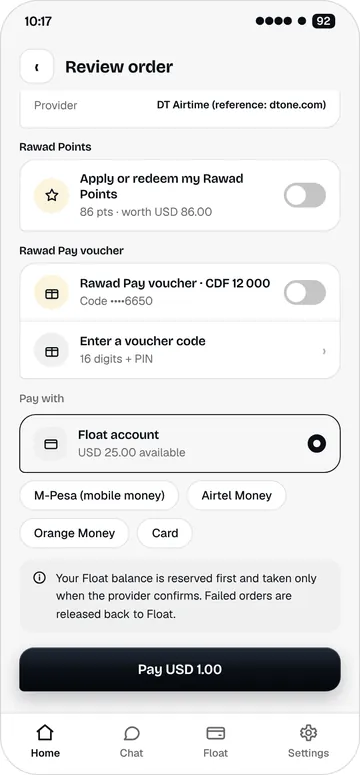
Payment
Three ways to pay
Choose at every purchase. No method is imposed.
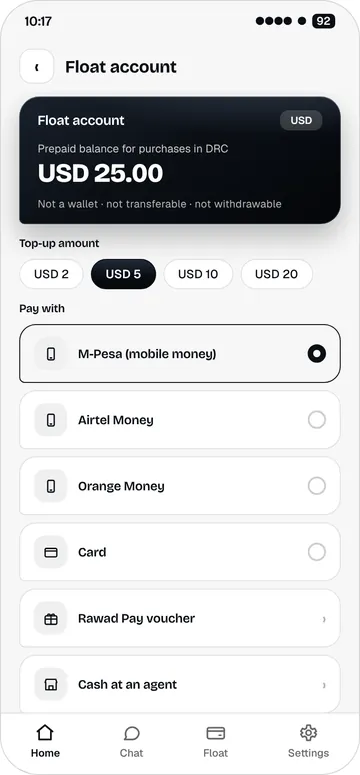
Float
A prepaid balance for your purchases only. Top it up by mobile money, card or cash at an agent.
Mobile money
M-Pesa, Airtel Money or Orange Money. You approve the payment on your phone.
Bank card
Debit or credit card, at the time of purchase.
Rawad Pay is not a wallet: no money transfers between people, no withdrawals. Float is only for buying digital products.
On the web and on mobile
The same account everywhere: your phone number and your PIN.
Web app
In your browser, on a computer or phone. Nothing to install.
iPhone
With Face ID or Touch ID to open the app.
Android
With your fingerprint to open the app.
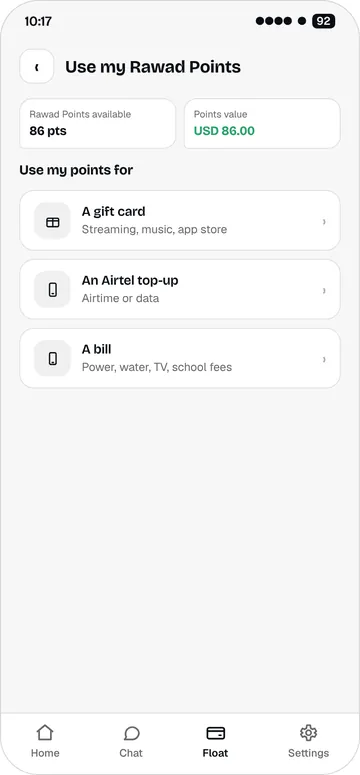
Rewards
Your purchases earn you more
Rawad Points add up with every purchase. You can also invite people with your link or your QR code.
- Points on every purchase. Use them on a gift card, a top-up or a bundle.
- Referral. Share your link or your QR code.
- A promotional value. Points cannot be transferred or exchanged for money.
Security
Your account stays yours
PIN
Every purchase is confirmed with your 4-digit PIN.
Biometrics and app lock
Open the app with your fingerprint or face. It locks when you leave it.
History and statements
Find every top-up, purchase and voucher in Activity, and generate a statement.
Available first in the DRC
Rawad Pay starts in the Democratic Republic of the Congo, with the operators Vodacom, Airtel, Orange and Africell. More countries will follow.